 Planfile
Terraform modules: how to write, call and version them
A Terraform module is a directory of .tf files. The directory you run Terraform in is the root module; a module block calls a child module from a local path, the Terraform Registry or Git, passing its input variables as arguments and reading its outputs as module.NAME.OUTPUT. terraform init installs the modules. Modules let you write a pattern once and reuse it.
Root modules and child modules
Every Terraform configuration is a module. The directory where you run terraform plan is the root module. A module block in it calls a child module: another directory of .tf files, which can call modules of its own. Terraform combines them all into one plan and one state.
Modules are how you stop copying and pasting. If three projects each need an S3 bucket with versioning, encryption and the company tags, write that once as a module and call it three times. A fix to the module reaches every caller the next time they run terraform init and apply (or upgrade the version they pin).
Terraform module structure best practices
A module is just a directory, but the standard layout makes any module readable at a glance:
modules/bucket/
├── main.tf        # resources
├── variables.tf   # inputs (variable blocks)
├── outputs.tf     # outputs
├── versions.tf    # required_version and required_providers
└── README.md      # what it does, inputs, outputs, an example
Terraform doesn't care about file names; it reads every .tf file in the directory. The names are a convention that the Terraform Registry and most teams follow. Larger modules add examples/ (working configurations that call the module) and modules/ for nested submodules. In a repository, a common shape is a root configuration per environment or project, plus a shared modules/ directory:
infra/
├── main.tf
├── variables.tf
├── outputs.tf
└── modules/
    ├── bucket/
    └── network/
Terraform module example: one bucket module, called twice
The module declares its inputs, creates resources from them, and exposes outputs:
# modules/bucket/variables.tf
variable "name" {
  type        = string
  description = "Bucket name"
}

variable "tags" {
  type    = map(string)
  default = {}
}

# modules/bucket/main.tf
resource "aws_s3_bucket" "this" {
  bucket = var.name
  tags   = merge({ managed_by = "terraform" }, var.tags)
}

resource "aws_s3_bucket_versioning" "this" {
  bucket = aws_s3_bucket.this.id
  versioning_configuration {
    status = "Enabled"
  }
}

# modules/bucket/outputs.tf
output "arn" {
  value = aws_s3_bucket.this.arn
}

output "name" {
  value = aws_s3_bucket.this.bucket
}
The root module calls it once per bucket. source says where the code is; every other argument sets one of the module's variables:
# main.tf (root module)
module "logs" {
  source = "./modules/bucket"
  name   = "acme-logs"
}

module "assets" {
  source = "./modules/bucket"
  name   = "acme-assets"
  tags   = { team = "web" }
}

output "assets_arn" {
  value = module.assets.arn
}
Run terraform init to install the modules, then plan. Resources inside a module get the module's address as a prefix:
$ terraform init
Initializing the backend...
Initializing modules...
- assets in modules/bucket
- logs in modules/bucket
Initializing provider plugins...
...

$ terraform plan
...
  # module.assets.aws_s3_bucket.this will be created
  + resource "aws_s3_bucket" "this" {
      + bucket = "acme-assets"
      ...
  # module.logs.aws_s3_bucket.this will be created
  + resource "aws_s3_bucket" "this" {
      + bucket = "acme-logs"
      ...

Plan: 4 to add, 0 to change, 0 to destroy.
Four resources: a bucket and a versioning configuration for each call. In terraform state list they appear as module.logs.aws_s3_bucket.this and so on. Naming the main resource this is a common convention when a module has one of each type.
Variable scope: modules only see their inputs
This is the rule that trips people up (and an exam objective). A module is a closed box:
- A child module can't read the root module's variables, locals or resources. If it needs a value, the caller must pass it as an argument, and the module must declare a matching
variable. - The caller can't reach into a module.
module.network.aws_subnet.this.idis an error. The module must expose the value as anoutput, and the caller readsmodule.network.subnet_id. - Variables that the module declares without a default are required arguments of the
moduleblock. Leave one out andterraform validatefails with Missing required argument.
That makes outputs the module's public API. Terraform module outputs are also how you wire modules together:
module "network" {
  source = "./modules/network"
  cidr   = "10.0.0.0/16"
}

module "server" {
  source    = "./modules/server"
  name      = "web"
  subnet_id = module.network.subnet_id   # output of one module, input of another
}
Terraform sees the reference and creates the network first. This is module composition: small modules joined in the root module, rather than one giant module that does everything. Providers work differently: a child module inherits the default provider configurations from its caller, and you can pass specific ones with the providers argument.
Module sources: local path, registry, Git and more
| Source | Example source | Versioning |
|---|---|---|
| Local path | "./modules/bucket" | None: same repository, same commit |
| Terraform Registry | "terraform-aws-modules/vpc/aws" | version argument |
| Private registry (HCP Terraform) | "app.terraform.io/acme/bucket/aws" | version argument |
| GitHub | "github.com/acme/tf-modules//bucket?ref=v1.2.0" | ?ref= tag, branch or commit |
| Any Git server | "git::https://git.example.com/tf-modules.git//bucket?ref=v1.2.0" | ?ref= |
| Others | Bitbucket, Mercurial, HTTP URLs, S3 and GCS buckets | per source |
Local paths must start with ./ or ../; without them Terraform reads the string as a registry address. A double slash (//bucket) selects a subdirectory inside a repository or archive. Git over SSH looks like git::ssh://[email protected]/acme/tf-modules.git?ref=v1.2.0 or [email protected]:acme/tf-modules.git, and uses your normal Git credentials.
Registry sources have the form NAMESPACE/NAME/PROVIDER:
module "vpc" {
  source  = "terraform-aws-modules/vpc/aws"
  version = "~> 5.0"

  name            = "main"
  cidr            = "10.0.0.0/16"
  azs             = ["eu-west-1a", "eu-west-1b"]
  private_subnets = ["10.0.1.0/24", "10.0.2.0/24"]
  public_subnets  = ["10.0.101.0/24", "10.0.102.0/24"]
}
terraform init downloads remote modules into .terraform/modules (local paths are used in place). After adding a module or changing a source, run terraform init again, or plan fails with Module not installed. terraform init -upgrade fetches the newest versions your constraints allow.
Module version constraints
The version argument works only for registry modules (public or private). It takes the same constraint syntax as providers:
| Constraint | Allows |
|---|---|
= 5.1.2 or 5.1.2 | exactly 5.1.2 |
>= 5.0 | 5.0 or newer, including 6.x |
~> 5.0 | 5.0 and newer within 5.x (not 6.0) |
~> 5.1.0 | 5.1.0 and newer within 5.1.x |
>= 5.1, < 5.4 | a range; conditions are combined |
!= 5.2.0 | excludes one version |
For Git sources there is no version argument; pin with ?ref= to a tag or commit SHA. A branch name like ?ref=main moves under you. Unlike providers, module versions are not recorded in .terraform.lock.hcl, so the constraint (or the pinned ref) is the only thing keeping a team on the same module code. Pin shared modules exactly or with ~>.
count, for_each and depends_on on modules
A module block accepts the same meta-arguments as a resource: count, for_each, depends_on and providers. One call can create a bucket per team:
module "team_bucket" {
  source   = "./modules/bucket"
  for_each = toset(["web", "api", "data"])
  name     = "acme-${each.key}"
}

output "team_arns" {
  value = { for k, m in module.team_bucket : k => m.arn }
}
The instances are addressed module.team_bucket["web"]. A module that contains its own provider blocks can't be used with count, for_each or depends_on, which is one reason reusable modules declare required_providers but leave provider configuration to the root. More on loops in for_each and count.
Terraform modules best practices
- Make a module when you've written the same thing twice, not before. A module that wraps a single resource and passes every argument through adds a layer without adding value.
- Give it a clear job. A module should model one concept (a network, a static site, a service), with a small set of inputs that matter and sensible defaults for the rest.
- Type and describe every variable, and add
validationwhere bad input is likely. Expose outputs for anything a caller might need: IDs, ARNs, names. - Keep provider configuration in the root. Declare
required_providerswith a minimum version inversions.tf; don't putproviderblocks or backends in child modules. - Pin versions of registry and Git modules, and upgrade deliberately with a plan you've read.
- Keep nesting shallow. Compose small modules in the root module rather than building deep trees that are hard to debug.
- Refactor safely. Moving existing resources into a module changes their addresses; add a
movedblock so Terraform updates state instead of destroying and recreating them:
moved {
  from = aws_s3_bucket.logs
  to   = module.logs.aws_s3_bucket.this
}
See the moved block for details.
Publishing a module to a registry
To publish on the public Terraform Registry, the module must live in a public GitHub repository named terraform-<PROVIDER>-<NAME> (for example terraform-aws-bucket), follow the standard structure with a README, and have semantic-version tags like v1.0.0. You sign in to the registry with GitHub and select the repository; new tags become new versions. Inside a company, the HCP Terraform private registry does the same for private modules, and callers use the app.terraform.io/ORG/NAME/PROVIDER source form.
Common module errors
- Module not installed: run
terraform initafter adding a module or changing its source. - Missing required argument: the module declares a variable with no default; set it in the
moduleblock. - Unsupported argument: you passed an argument the module doesn't declare as a variable. Check the spelling against its
variables.tf. - Unsupported attribute on
module.x.something: the module has no output with that name. Add the output in the module. - Module is incompatible with count, for_each, and depends_on: the module configures its own providers; move the
providerblocks to the root.
Try it in a Lab
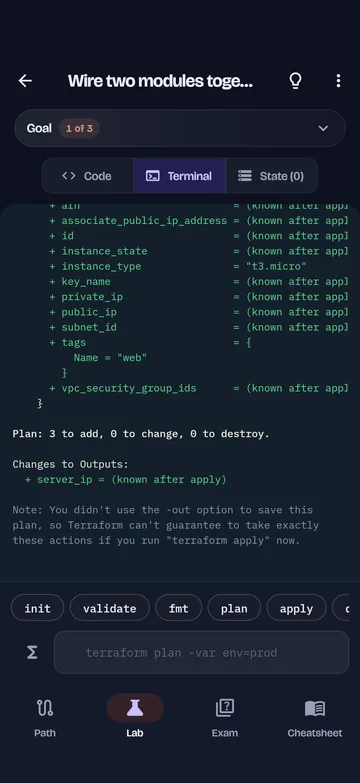
Planfile's Modules chapter has three Labs: Use the bucket module (call a ready-made module and run terraform init to install it), Wire two modules together (pass a network output into a server module) and Write your own module. The Lab supports local modules only, not registry or Git sources, so it covers structure, inputs, outputs and addresses rather than downloads.
Questions
What is the difference between a root module and a child module?
The root module is the directory where you run terraform plan and apply. A child module is any module called from another with a module block. Every configuration has exactly one root module.
How do I get a value out of a Terraform module?
Declare an output block in the module, then read it in the caller as module.NAME.OUTPUT_NAME. You can't reference a module's resources directly.
How do I use a Terraform module from Git?
Set source to a Git URL such as git::https://example.com/modules.git//bucket?ref=v1.2.0. The ?ref= pins a tag, branch or commit, and // selects a subdirectory. The version argument doesn't work for Git sources.
Do I need to run terraform init after adding a module?
Yes. terraform init installs modules (and providers). Run it again whenever you add a module or change a module's source; use -upgrade to fetch newer allowed versions.
Can a child module use variables from the root module?
No. A module only sees its own variables, locals and resources. Pass values in as arguments of the module block, which must match variables the module declares.
Should every resource be a module?
No. Create a module when a group of resources is reused or forms a clear concept. Wrapping a single resource with every argument passed through adds complexity without benefit.