 Planfile
Terraform vs CloudFormation: differences, examples and when to choose each
AWS CloudFormation is AWS's own infrastructure-as-code service: you write JSON or YAML templates and AWS deploys them as stacks, keeping the state for you. Terraform is HashiCorp's tool: you write HCL, it works with AWS and hundreds of other providers, and it records what it manages in a state file you store. Choose CloudFormation for AWS-only teams that want AWS to run everything; choose Terraform for multi-cloud work or one workflow across many services.
The main difference: AWS-native service vs multi-provider tool
CloudFormation is a managed AWS service. You hand it a template; AWS works out the order, creates the resources, tracks them as a stack, and rolls back if a deployment fails. There is no state file to look after and nothing to install beyond the AWS CLI.
Terraform is a command-line tool that runs wherever you run it (a laptop, CI, or HCP Terraform). It reaches AWS through the AWS provider, and the same workflow covers Azure, Google Cloud, Kubernetes, GitHub, Cloudflare, Datadog and many other services through their own providers. In exchange, you manage the state: usually an S3 backend with locking.
Everything else follows from that split: who stores state, how previews work, how fast new AWS features arrive, and what it costs.
Terraform vs CloudFormation side by side
| Terraform | AWS CloudFormation | |
|---|---|---|
| Made by | HashiCorp (an IBM company) | AWS |
| Clouds | AWS, Azure, Google Cloud and hundreds of other providers | AWS (plus third-party types published in the CloudFormation registry) |
| Language | HCL | JSON or YAML templates; CDK generates them from code |
| State | State file you store (S3, HCP Terraform, others) | Managed by AWS as a stack |
| Preview | terraform plan | Change sets |
| Failed deployment | Stops; what succeeded stays, fix and re-apply | Rolls back the stack by default |
| Drift | Every plan refreshes and shows drift | Drift detection on demand; drift-aware change sets |
| Reuse | Modules (local, Git, Terraform Registry) | Nested stacks, CloudFormation modules, CDK constructs |
| Cost of the tool | CLI free; HCP Terraform has free and paid tiers | No charge for AWS resource types; registry extensions billed per handler operation |
| Licence | BUSL 1.1 (CLI); AWS provider MPL 2.0 | Managed service |
HCL vs JSON/YAML templates (and the CDK)
CloudFormation templates are JSON or YAML with a fixed structure: Parameters, Resources, Outputs and so on, plus intrinsic functions such as !Ref, !GetAtt, !Sub and !If. Each resource has a type like AWS::S3::Bucket.
Terraform's HCL was designed for configuration and reads more like a small language: variables, locals, expressions, for_each and count for repetition, and a library of built-in functions. Templates that need loops are where most people feel the difference; CloudFormation's answer has been macros such as AWS::LanguageExtensions and, more often, the CDK.
The AWS Cloud Development Kit (CDK) lets you define infrastructure in TypeScript, JavaScript, Python, Java, C#/.NET or Go. It synthesises CloudFormation templates and deploys them through CloudFormation, so you keep stacks and rollback while writing ordinary code. If you're comparing Terraform with the CDK, you're comparing HCL with a general-purpose language on top of CloudFormation; the trade-offs are close to those in Terraform vs Pulumi.
The same S3 bucket in both
CloudFormation (YAML)
AWSTemplateFormatVersion: "2010-09-09"
Description: Logs bucket

Resources:
  LogsBucket:
    Type: AWS::S3::Bucket
    Properties:
      BucketName: example-logs-2026
      Tags:
        - Key: env
          Value: dev

Outputs:
  BucketArn:
    Value: !GetAtt LogsBucket.Arn
aws cloudformation deploy \
--template-file bucket.yaml \
--stack-name logsTerraform (HCL)
terraform {
  required_providers {
    aws = {
      source = "hashicorp/aws"
    }
  }
}

provider "aws" {
  region = "eu-west-2"
}

resource "aws_s3_bucket" "logs" {
  bucket = "example-logs-2026"

  tags = {
    env = "dev"
  }
}

output "bucket_arn" {
  value = aws_s3_bucket.logs.arn
}
terraform init
terraform plan
terraform applyThe resources are equivalent. The differences are around them: CloudFormation takes the region from your AWS CLI configuration and stores state in the stack; Terraform names the provider and region in code and writes terraform.tfstate (move it to a remote backend for team use).
State file vs stacks
In CloudFormation the stack is the state. AWS records which physical resources belong to it, you see them in the console under the stack's Resources tab, and two people can't update the same stack at once. Deleting the stack deletes its resources (unless a resource has a DeletionPolicy of Retain).
In Terraform, the state file maps each resource address to a real object. You choose where it lives and must protect it: it can contain secrets, it needs locking (the S3 backend's native locking, use_lockfile = true, is generally available since Terraform 1.11), and it should never be edited by hand. Commands such as terraform state list, state mv and moved blocks let you reorganise it.
The managed model is simpler to run. The state-file model is more flexible: you can split, move and import resources between configurations, and it works the same whichever cloud a resource is in.
Change sets vs terraform plan
Both tools preview changes before making them.
A CloudFormation change set compares a new template or parameters with the stack and lists the resources it will add, modify or remove, with a Replacement field of True, False or Conditional for each modification. You review it and then execute it:
aws cloudformation create-change-set \
  --stack-name logs \
  --change-set-name rename-bucket \
  --template-body file://bucket.yaml

aws cloudformation describe-change-set \
  --stack-name logs \
  --change-set-name rename-bucket

aws cloudformation execute-change-set \
  --stack-name logs \
  --change-set-name rename-bucket
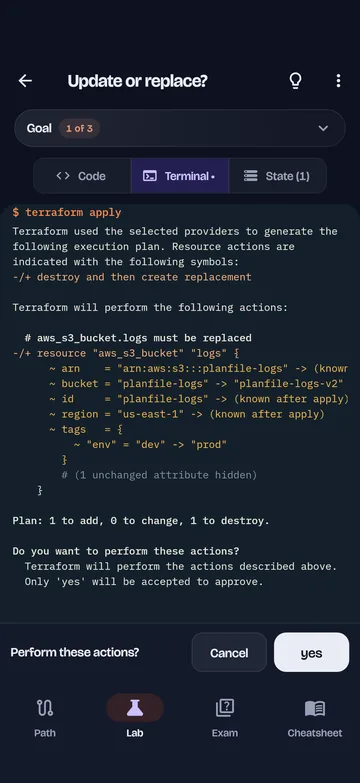
A terraform plan does the same job with symbols (+, ~, -, -/+) and an attribute-level diff, and terraform plan -out=tfplan saves it so terraform apply tfplan applies exactly what you reviewed. Changing the bucket name is a replacement in both: # forces replacement in the plan, Replacement: True in the change set.
Drift detection in both
Drift is a change made outside the tool, such as a tag edited in the console.
Terraform checks for drift on every plan: it refreshes state from the provider and shows Objects have changed outside of Terraform, then plans to put things back. terraform plan -refresh-only shows only the drift. See Terraform drift.
CloudFormation runs drift detection when you ask for it, on a stack or a single resource, and reports each resource as IN_SYNC, MODIFIED, DELETED or NOT_CHECKED (not every resource type supports it, and only explicitly set properties are compared). Traditional change sets compare templates and don't account for drift; drift-aware change sets (--deployment-mode REVERT_DRIFT) compare the new template with the live resources and bring drifted ones back in line.
New AWS features and coverage
CloudFormation is AWS's own service, and many AWS launches include CloudFormation support on day one, though not all; some resource types and properties arrive later. CloudFormation resource types also power the AWS Cloud Control API, a uniform create, read, update, delete and list API for AWS resources.
Terraform's main AWS provider (hashicorp/aws) is written by HashiCorp and the community. It usually adds new services and arguments quickly, but not always on launch day. HashiCorp also publishes the hashicorp/awscc provider, generated from CloudFormation resource schemas and built on Cloud Control, which picks up new resource types as Cloud Control supports them. You can use both providers in the same configuration.
Modules vs nested stacks
Terraform modules are folders of .tf files with inputs and outputs. You call them from local paths, Git, or the public Terraform Registry, which has a large catalogue of community modules for AWS.
CloudFormation offers nested stacks (a stack created by an AWS::CloudFormation::Stack resource in another template), modules registered in the CloudFormation registry and used like resource types, and cross-stack references via exported outputs. CDK users mostly reuse constructs instead. StackSets deploy one template across multiple accounts and regions.
Cost
As of November 2026: CloudFormation has no additional charge for resource types in the AWS::* and Alexa::* namespaces; you pay only for the resources. Registry extensions such as third-party resource types are billed per handler operation. The Terraform CLI is free to download and use. HCP Terraform, HashiCorp's hosted service for remote runs, state and policy, has a free tier and paid tiers; check HashiCorp's pricing page for current terms. In both cases the cloud bill is the same: the bucket costs what it costs.
When to choose Terraform or CloudFormation
- Choose CloudFormation (or the CDK) if you are all-in on AWS, want AWS to hold state and roll back failed deployments, need StackSets across many accounts, or use AWS services that deploy through CloudFormation (such as AWS SAM).
- Choose Terraform if you use more than one cloud or manage SaaS alongside AWS (DNS, monitoring, GitHub), want one language and workflow for all of it, prefer an always-on drift check in every plan, or want skills that transfer between employers' clouds.
- Mixing is common. Plenty of teams keep legacy stacks in CloudFormation and write new work in Terraform. Terraform can read stack outputs with the
aws_cloudformation_stackdata source, or bring resources over withimportblocks.
New to Terraform? Start with what Terraform is and the Terraform tutorial.
Practise the Terraform workflow
Planfile teaches Terraform on your iPhone with a simulated AWS provider, so you can create, rename and replace S3 buckets and read the plans without an AWS account. The first two chapters, including Providers and resources, are free. It covers Terraform only, not CloudFormation.
Questions
Is Terraform better than CloudFormation?
Not in every case. Terraform is better for multi-cloud and multi-service work; CloudFormation is simpler to run for AWS-only teams because AWS manages state and rollback.
Does CloudFormation have a state file?
No file you manage. AWS tracks the resources in each stack, which plays the role of Terraform's state file.
What is the CloudFormation equivalent of terraform plan?
A change set. It lists the resources a template update would add, modify or remove, including whether each modification needs a replacement, before you execute it.
Can Terraform manage CloudFormation stacks?
Yes. The AWS provider has an aws_cloudformation_stack resource to deploy a stack and a data source to read an existing stack's outputs.
Is AWS CloudFormation free?
There is no additional charge for AWS resource types; you pay for the resources created. Third-party registry extensions are billed per handler operation.
Should I learn Terraform or CloudFormation first?
If you only work on AWS, either works. Terraform's skills carry to other clouds and it has a vendor certification, the HashiCorp Terraform Associate.