 Planfile
What is Terraform? What it does, how it works and what it is used for
Terraform is an infrastructure as code tool from HashiCorp (now part of IBM). You describe the infrastructure you want, such as networks, servers, buckets and DNS records, in text files written in HCL, and Terraform makes the API calls to create, change or delete it on AWS, Azure, Google Cloud and thousands of other services. The everyday loop is terraform init, terraform plan, terraform apply.
What does Terraform do?
Terraform turns a description of infrastructure into real infrastructure, and keeps the two in step. You write what should exist; Terraform compares that with what exists now and works out the difference. It then shows you the plan and, once you approve it, carries it out by calling the cloud provider's APIs.
Run it again with no edits and it does nothing, because reality already matches the files. Change one line, say a tag or an instance size, and Terraform changes only that. Delete a resource from the files and Terraform deletes it from the cloud. That cycle of edit, plan, apply is the whole job.
Terraform is a single command-line program written in Go. It runs on macOS, Linux and Windows, on a laptop or in a CI pipeline, and it was first released by HashiCorp in 2014. Version 1.0 arrived in 2021; current releases are in the 1.x series, and the Terraform Associate (004) certification tests Terraform 1.12.
Infrastructure as code with Terraform
Infrastructure as code (IaC) means managing infrastructure through files instead of clicking in a web console or running one-off scripts. With Terraform, those files live in Git next to your application code, and you get what code already has:
- Review. A change to production is a pull request. Colleagues read the diff and the plan before anything happens.
- History.
git logtells you who opened port 22 and why. - Repeatability. The same files build a test environment today and an identical one in another region tomorrow.
- Less drift. When someone changes something by hand, the next plan shows it, and you decide whether to undo it or adopt it.
IaC tools come in two styles. Imperative tools run steps you write: create this, then attach that. Declarative tools take the end state and work out the steps. Terraform is declarative.
Declarative configuration in HCL
Terraform files end in .tf and are written in HCL, the HashiCorp Configuration Language. HCL is made of blocks with a type, labels and arguments. Here is a VPC and a subnet on AWS:
resource "aws_vpc" "main" {
  cidr_block = "10.0.0.0/16"
}

resource "aws_subnet" "a" {
  vpc_id     = aws_vpc.main.id
  cidr_block = "10.0.1.0/24"
}
There is no "create the VPC first" step. The subnet refers to aws_vpc.main.id, so Terraform knows the subnet depends on the VPC. It builds a dependency graph from those references, creates independent resources in parallel, and deletes them in reverse order on destroy.
HCL also has input variables, local values, outputs, modules (reusable groups of resources), loops with count and for_each, conditionals and built-in functions. That is enough to describe large estates without copy-paste. See variables and outputs, modules and for_each and count.
Providers: how Terraform talks to AWS, Azure and the rest
Terraform itself knows nothing about S3 buckets or virtual machines. That knowledge lives in providers: plugins that translate resources into API calls for one platform. The AWS provider knows aws_s3_bucket; the Azure provider knows azurerm_resource_group; the GitHub provider knows github_repository.
You declare the providers a configuration needs, and terraform init downloads them from the Terraform Registry:
terraform {
  required_providers {
    aws = {
      source  = "hashicorp/aws"
      version = "~> 6.0"
    }
  }
}

provider "aws" {
  region = "us-east-1"
}
The Registry lists thousands of providers: the big clouds, Kubernetes and Helm, DNS and CDN services, monitoring tools, identity providers, databases, even small utilities like random and local. Some are maintained by HashiCorp, many by the vendors themselves, others by the community. The providers guide covers versions, the lock file, authentication and aliases.
State: how Terraform remembers what it built
To know that aws_s3_bucket.logs in your file is the bucket called acme-logs in your account, Terraform keeps a state file. After each apply it records every managed object: its address in the configuration, its real ID and its attributes. On the next plan it reads the state, refreshes it from the real infrastructure, and compares the result with your configuration.
By default state is a local file, terraform.tfstate. Teams store it in a remote backend instead, such as an S3 bucket, Azure Storage, Google Cloud Storage or HCP Terraform, so everyone works from the same copy and a lock stops two applies running at once. State can contain secrets (database passwords, keys), so treat it as sensitive and never commit it to Git. More in Terraform state.
The Terraform workflow: init, plan, apply
A small but real example. Put this in an empty folder as main.tf, with the terraform and provider blocks from above, and AWS credentials in your environment:
resource "aws_s3_bucket" "logs" {
  bucket = "acme-logs-7f3a"

  tags = {
    env = "dev"
  }
}
1. terraform init prepares the folder: it downloads the providers and writes the dependency lock file.
$ terraform init
Initializing the backend...
Initializing provider plugins...
- Finding hashicorp/aws versions matching "~> 6.0"...
- Installing hashicorp/aws v6.74.0...
- Installed hashicorp/aws v6.74.0 (signed by HashiCorp)
Terraform has created a lock file .terraform.lock.hcl to record the provider
selections it made above.
...
Terraform has been successfully initialized!
2. terraform plan shows what would change, without changing anything (output trimmed):
$ terraform plan

Terraform will perform the following actions:

  # aws_s3_bucket.logs will be created
  + resource "aws_s3_bucket" "logs" {
      + arn    = (known after apply)
      + bucket = "acme-logs-7f3a"
      + id     = (known after apply)
      + tags   = {
          + "env" = "dev"
        }
    }

Plan: 1 to add, 0 to change, 0 to destroy.
3. terraform apply shows the same plan, asks for yes, then makes the change and saves the state:
$ terraform apply
...
  Enter a value: yes

aws_s3_bucket.logs: Creating...
aws_s3_bucket.logs: Creation complete after 2s [id=acme-logs-7f3a]

Apply complete! Resources: 1 added, 0 changed, 0 destroyed.
Run terraform plan again and it reports No changes. Your infrastructure matches the configuration. When you no longer need the bucket, terraform destroy removes everything this configuration manages. The terraform plan guide explains how to read plans, and Terraform commands lists the rest of the CLI.
What is Terraform used for?
Anything with an API and a provider can be managed with Terraform. Common uses:
- Cloud foundations. VPCs, subnets, route tables, NAT gateways and firewall rules, built the same way in every account and region.
- Application environments. The load balancer, container service, database, cache and queue an app needs, created per environment from one module.
- Kubernetes clusters. EKS, AKS or GKE clusters and their node pools, then namespaces and Helm releases with the Kubernetes and Helm providers.
- Identity and access. IAM roles and policies, Azure role assignments, Okta or Entra ID groups, kept in code so access changes are reviewed.
- DNS and edge. Route 53 or Cloudflare records, certificates and CDN settings.
- SaaS configuration. GitHub repositories and branch protection, Datadog monitors, PagerDuty schedules.
- Repeatable copies. Short-lived test or demo environments that are created for a branch and destroyed when it merges.
- Multi-cloud setups. One workflow and one language across several providers, for example an app on AWS with DNS on Cloudflare and monitoring in Datadog.
What Terraform is not for: installing packages inside a server, deploying application code on every commit, or running ad-hoc commands. Other tools do those jobs better.
What is Terraform on AWS, Azure and Google Cloud?
The workflow and language are the same on every cloud; the resources are not. Each cloud has its own provider with resource types that mirror its services:
| Cloud | Provider source | Example resources |
|---|---|---|
| AWS | hashicorp/aws | aws_vpc, aws_instance, aws_s3_bucket, aws_iam_role |
| Microsoft Azure | hashicorp/azurerm | azurerm_resource_group, azurerm_virtual_network, azurerm_linux_virtual_machine |
| Google Cloud | hashicorp/google | google_compute_network, google_compute_instance, google_storage_bucket |
So "Terraform on AWS" means Terraform with the AWS provider: you describe AWS resources in HCL and Terraform calls the AWS APIs using your normal AWS credentials. A configuration for AWS does not run on Azure; moving clouds means rewriting the resources, though your skills, workflow and module structure carry over. AWS also has its own IaC service, CloudFormation; see Terraform vs CloudFormation.
What is Terraform in DevOps?
In a DevOps team, Terraform is how infrastructure goes through the same pipeline as code. A typical setup:
- An engineer changes a
.tffile on a branch and opens a pull request. - CI runs
terraform fmt -check,terraform validateandterraform plan, and posts the plan on the pull request. - Reviewers read the plan, paying attention to anything marked for replacement or deletion.
- After merge, the pipeline (or HCP Terraform) applies the reviewed plan against shared remote state.
Because the plan is generated before anything changes, infrastructure changes become as reviewable as code changes. Teams also add policy checks, cost estimates and tests (terraform test, available since 1.6) to the same pipeline.
Terraform vs configuration management tools
Terraform provisions infrastructure: it creates the server, network and database. Configuration management tools such as Ansible, Chef and Puppet configure what runs on servers: packages, files, services and users. The two overlap a little (Ansible has cloud modules; Terraform can pass a startup script to a VM), but they work differently. Terraform keeps state and computes a plan from a declared end state; Ansible runs ordered tasks over SSH and relies on each task being idempotent. Many teams use both: Terraform builds the machines, Ansible configures them, or they skip servers entirely with containers and images. The full comparison is in Terraform vs Ansible.
Who owns Terraform? Licence, IBM and OpenTofu
Terraform is made by HashiCorp. For most of its history it was open source under the Mozilla Public License 2.0. In August 2023 HashiCorp moved Terraform to the Business Source License (BUSL) 1.1 for new releases (Terraform 1.6 onwards). The BUSL lets you use Terraform freely, including at work and in production, but restricts offering products that compete with HashiCorp's. Releases made before the change remain under MPL 2.0.
In response, a group of companies and contributors forked the last MPL-licensed code as OpenTofu, now an MPL-2.0 project under the Linux Foundation. OpenTofu's tofu CLI was largely compatible with Terraform at the fork, and the two have since added different features. See Terraform vs OpenTofu.
IBM announced it would buy HashiCorp in April 2024 and completed the acquisition in February 2025. Terraform, HCP Terraform and the certification continue under the HashiCorp name.
HCP Terraform and Terraform Enterprise
The Terraform CLI is free to download. HashiCorp also sells a platform around it. HCP Terraform (called Terraform Cloud until 2024) is a hosted service that stores state, runs plans and applies in a consistent remote environment, connects to your Git repositories, manages variables and secrets per workspace, and adds access control, policy checks and a private module registry. Terraform Enterprise is the self-hosted version of the same platform. You connect a configuration to HCP Terraform with a cloud block in the terraform block. HCP Terraform workspaces and projects are part of the Associate 004 exam; see Terraform workspaces.
How to start learning Terraform
You can be productive with Terraform after a weekend. A good order:
- Run the workflow once. Follow the Terraform tutorial: install, write one bucket, init, plan, apply, change it, destroy.
- Learn to read a plan. Know
+,~,-/+and what forces replacement: terraform plan. - Add the language. Variables, outputs, references, then modules and loops.
- Understand state. Remote backends, locking,
terraform statecommands, drift andmovedblocks. - Practise. Do small exercises until the commands are muscle memory: Terraform labs and practice exercises lists ways to practise with and without a cloud account.
If you want proof of the skill, the Terraform Associate certification is the entry-level exam and follows the same topics.
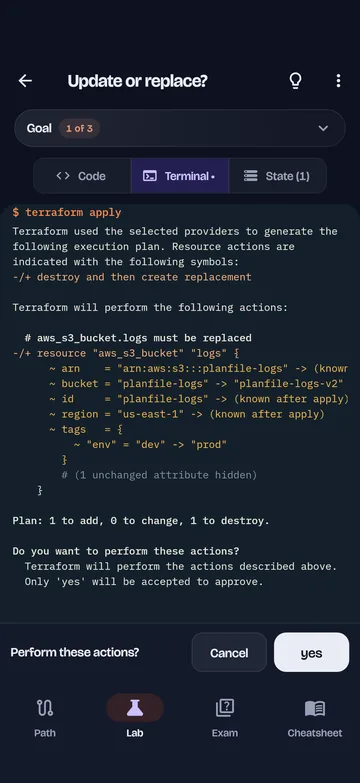
Planfile, our iPhone app, teaches this path in 8 chapters with 26 hands-on Labs. The Lab is a simulator of the Terraform CLI and HCL with fake providers, so you can run init, plan and apply on your phone without a cloud account. The first two chapters, How Terraform works and Providers and resources, are free.
Questions
What is Terraform in simple terms?
Terraform is a tool that builds and changes cloud infrastructure from text files. You write what you want, Terraform shows a plan of the changes, and after you approve it, it calls the cloud's APIs to make them.
What is Terraform used for?
Creating and managing infrastructure as code: networks, servers, Kubernetes clusters, databases, IAM, DNS records and SaaS settings such as GitHub repositories or monitoring alerts, on AWS, Azure, Google Cloud and many other platforms.
Is Terraform a programming language?
No. Terraform is a tool; its configuration language is HCL, a declarative language for describing resources. HCL has variables, functions, loops and conditionals, but you describe the end state rather than writing step-by-step code.
Is Terraform free?
The Terraform CLI is free to download and use, including commercially. Since August 2023 new releases are under the Business Source License, which restricts building competing products. HCP Terraform and Terraform Enterprise are HashiCorp's commercial platforms; check HashiCorp's pricing page for current plans.
Is Terraform only for AWS?
No. Terraform works with AWS, Azure, Google Cloud and thousands of other services through providers. Each provider has its own resource types, so a configuration written for one cloud doesn't run on another unchanged.
What is the difference between Terraform and Ansible?
Terraform provisions infrastructure from a declared end state and tracks it in a state file. Ansible configures software on existing machines by running tasks in order. Many teams use both.