 Planfile
Terraform workspaces: CLI commands, state per workspace and HCP Terraform workspaces
A Terraform workspace (CLI) is a separate state for the same configuration in the same backend. Every directory starts in the default workspace; terraform workspace new dev creates another with empty state, select switches, list and show tell you where you are. Inside the code, terraform.workspace gives the current name. HCP Terraform workspaces are a different, bigger thing: one per configuration and environment, with its own variables, runs and permissions.
What is a Terraform workspace?
Terraform state links the resources in your configuration to real objects. Normally one working directory has one state. CLI workspaces let the same directory, with the same backend, hold several named states. Switch workspace and Terraform reads and writes a different state, so the same main.tf can manage a second, independent copy of everything.
The classic use: try a change on a throwaway copy. Create a workspace, apply, test, destroy, delete the workspace, and the original state was never touched.
Every initialised directory has a workspace called default. It can't be deleted, and many people never use any other.
Terraform workspace commands
| Command | What it does |
|---|---|
terraform workspace list | Lists workspaces; * marks the current one |
terraform workspace show | Prints the current workspace name |
terraform workspace new NAME | Creates a workspace with empty state and switches to it |
terraform workspace select NAME | Switches to an existing workspace |
terraform workspace select -or-create NAME | Switches, creating it first if needed (Terraform 1.4+) |
terraform workspace delete NAME | Deletes a workspace that isn't current and has no resources in its state |
A session:
$ terraform workspace new dev
Created and switched to workspace "dev"!

You're now on a new, empty workspace. Workspaces isolate their state,
so if you run "terraform plan" Terraform will not see any existing state
for this configuration.

$ terraform workspace list
  default
* dev

$ terraform workspace select default
Switched to workspace "default".

$ terraform workspace show
default
You can also set the workspace with the TF_WORKSPACE environment variable, which is handy in CI. Deleting needs care: Terraform refuses to delete the current workspace, and refuses to delete one whose state still tracks resources unless you add -force, which leaves those resources running with nothing managing them. Destroy first:
terraform workspace select dev
terraform destroy
terraform workspace select default
terraform workspace delete dev
Using terraform.workspace in configuration
The expression terraform.workspace returns the current workspace name. Use it to keep names unique and to vary settings per workspace:
locals {
  instance_type = {
    default = "t3.micro"
    dev     = "t3.micro"
    prod    = "t3.large"
  }
}

resource "aws_s3_bucket" "logs" {
  bucket = "acme-logs-${terraform.workspace}"
}

resource "aws_instance" "web" {
  ami           = var.ami_id
  instance_type = local.instance_type[terraform.workspace]

  tags = {
    workspace = terraform.workspace
  }
}
Without the workspace in the bucket name, the second workspace would try to create a bucket with the same name and fail, because S3 names are global. Anything with a fixed real-world name needs the same treatment. Using a map keyed by workspace makes a missing key fail loudly at plan time instead of silently using a default.
Where workspace state is stored
Each workspace has its own state file in the same backend:
- Local backend: the
defaultworkspace usesterraform.tfstate; others live interraform.tfstate.d/NAME/terraform.tfstate. - S3 backend:
defaultuses the configuredkey; other workspaces are stored underenv:/NAME/followed by the key. Theworkspace_key_prefixargument changes theenv:prefix. - Other backends such as
azurerm,gcsandconsulstore each workspace as a separate state object in their own way. A few backends support only thedefaultworkspace and report that workspaces are not supported.
All workspaces share the backend configuration, and therefore the same storage, credentials and access controls. That is the key limitation.
When not to use workspaces for dev, staging and prod
Workspaces look like a neat way to run dev, staging and prod from one directory, and for small or personal projects they can be. HashiCorp's own documentation warns against relying on them for strongly separated environments: production usually needs different credentials and access controls from dev, and CLI workspaces in one working directory share a single backend, so they are not a suitable isolation mechanism. The other risks are practical: nothing in the files tells you which workspace is selected, so applying to prod when you meant dev is one forgotten select away, and every environment must run the same code at the same time.
For real environment separation, the usual pattern is a directory per environment that calls shared modules, each with its own backend:
modules/
  app/
environments/
  dev/
    main.tf        # module "app" { source = "../../modules/app" ... }
    backend.tf     # its own state bucket/key, dev credentials
  prod/
    main.tf
backend.tf # separate state, prod-only access| CLI workspaces | Directory per environment | |
|---|---|---|
| Code | Identical for all | Shared modules, per-environment roots |
| Backend and credentials | Shared | Separate |
| Which environment am I in? | terraform workspace show | The directory you're in |
| Good for | Temporary copies, feature testing, identical stacks | dev, staging, prod with different access |
Workspaces also aren't for splitting a large system into parts (networking, databases, apps). Each part should be its own configuration with its own state. See Terraform modules and Terraform state and backends.
HCP Terraform workspaces and projects
In HCP Terraform (and Terraform Enterprise) a workspace means something larger than a CLI workspace. It is the unit of work for one configuration in one environment, and it holds:
- the configuration source: a VCS repository and directory, or uploads from the CLI or API;
- Terraform and environment variables, including sensitive values, and variable sets applied to it;
- its state, with version history;
- its run history: every plan and apply, with logs;
- settings such as the Terraform version, execution mode and team access.
Projects group related workspaces inside an organisation, for example all of one team's or one application's workspaces. Every workspace belongs to exactly one project, and permissions and variable sets can be granted at project level so they apply to all its workspaces. In HCP Terraform, separating dev and prod into different workspaces is the recommended pattern, because each has its own variables, credentials and permissions; that addresses the isolation problem CLI workspaces have.
You connect a CLI configuration with the cloud block:
terraform {
  cloud {
    organization = "acme"

    workspaces {
      project = "payments"
      tags    = { app = "payments" }
    }
  }
}
With name the directory maps to one HCP Terraform workspace; with tags it maps to all workspaces carrying those tags, and terraform workspace list and select then switch between them. HCP Terraform workspaces and projects are objective 8c of the Terraform Associate (004) exam; see the certification guide.
Common workspace errors
- Workspace "prod" doesn't exist on
select: create it withterraform workspace new prod, or useselect -or-create. - You cannot delete the currently active workspace: select another workspace first.
- Workspace "dev" is currently tracking the following resource instances on delete: its state still tracks resources. Select it and run
terraform destroy, or move the resources elsewhere, before deleting. Avoid-forceunless you really mean to abandon them. - Bucket already exists (or a similar name clash) in a new workspace: a resource name doesn't include
terraform.workspace. - Unexpected empty plan wanting to create everything: you're in the wrong workspace. Check
terraform workspace show.
Try it in a Lab
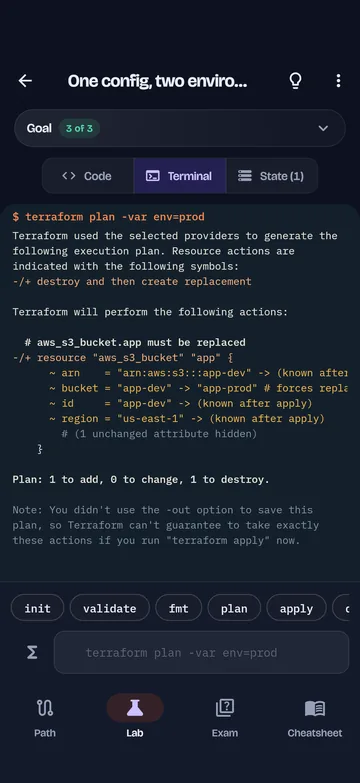
Planfile's Lab terminal supports terraform workspace with new, select, list, show and delete, so you can create a dev workspace in any Lab and see the plan start from empty state. The Lab One config, two environments covers the variable-based approach shown above. Planfile doesn't connect to HCP Terraform, so practise HCP workspaces in a free HCP Terraform organisation.
Questions
What are Terraform workspaces used for?
CLI workspaces keep several separate states for one configuration in one backend, so you can run independent copies of the same infrastructure, such as a temporary test copy alongside the main one.
What are the Terraform workspace commands?
terraform workspace new, select, list, show and delete. select -or-create switches to a workspace and creates it if it doesn't exist (Terraform 1.4+).
Should I use Terraform workspaces for dev and prod?
For strongly separated environments, HashiCorp recommends separate configurations or directories with their own backends and credentials, because CLI workspaces share one backend. In HCP Terraform, separate workspaces per environment are the norm.
Can I delete the default Terraform workspace?
No. The default workspace always exists. You can delete other workspaces once they are not selected and their state is empty.
What is the difference between CLI workspaces and HCP Terraform workspaces?
A CLI workspace is just another state file for the same directory. An HCP Terraform workspace holds a configuration's state, variables, run history and permissions, and is grouped with others into projects.